CIS 101 - Computer Fundamentals
| Term: |
Winter 2011 |
Classroom: |
Bldg 19/Rm 120 |
Instructor: |
Andrea Baughman |
| Days: |
MW |
Time: |
10:00-11:50am or 12:00-1:50pm |
Office: |
Bldg 19/Rm |
| Credits: |
3 |
CRN#: |
31326, 31448 |
Contact: |
baughmana@lanecc.edu |
| Office Hrs: TBA (usually directly after class, in my office or in Bldg19/Rm 120) |
Course Description: A hands-on introduction to the personal computer and application software using Microsoft Windows. Students will learn basic computer terminology, the role of computers in society, and the use of word processing, spreadsheet, database, presentation and Internet software, including e-mail.
Objectives: Upon course completion, the student will be able to do the following:
- Understand and converse in basic computer terminology.
- Formulate opinions about the impact of computers on society.
- Integrate software applications into life and schoolwork.
- Create, format and save word processing, spreadsheet, & multimedia presentation documents.
- Access and evaluate Internet-based information
- Use e-mail to communicate with others.
Course Structure: Lecture, demonstration, and hands-on lab. There are in-class and online sections. There is the same syllabus for both. In-class students are welcome to make use of my Moodle classroom, and vice versa.
Web Sites: Class sites http://media.lanecc.edu/users/baughmana and http://moodle.lanecc.edu
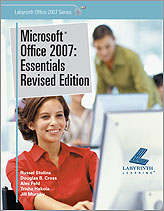
Textbook: Microsoft Office 2007: Essentials Revised Edition
ISBN-13:978-1-59136-185-5
Microsoft Office 2007: Essentials Windows 7 Supplement
ISBN-13:978-1-59136-297-5
Materials: Removable Storage Media (USB Flash Drive), Downloaded lab files
|
|
Grading
|
|
| Grading Scale by "Points" |
| A+ |
498 |
B+ |
447 |
C+ |
397 |
D+ |
347 |
| A |
453 |
B |
403 |
C |
353 |
D |
303 |
| A- |
450 |
B- |
400 |
C- |
350 |
D- |
300 |
*See Lab guidelines below for more information on scoring.
**in-class 5/day, online - 2.5/post
A+ is only possible if all work is completed.
|
Course Guidelines
Exams: No make-up exams will be given without prior arrangements with the instructor.
Labs: All labs must be typed, printed, labeled, and stapled. Labs may be turned in in class, at the CIT main desk, or under my office door. Labs must be on time and mostly correct to receive full credit, -20% for up to one week late, -50% at two weeks, no credit if more than two weeks late.
Labs turned in early earn 2 points "extra credit". Early is the the class before the due date. The point structure for labs is to encourage students to keep up with their work. Students who do the lab work regularly tend to do better in the course. The final day to turn in work is the last regularly scheduled class day.
If there are errors when the item is turned in, it will be returned, marked "Redo", and credit will be given after the corrections are made (they must be resubmitted within 1 week, or by the final class session, whichever is sooner).
Retain a backup of all your work until after you've received your final grade. If for any reason there is a difference between what you think you turned in and the points I think you've earned - you will need to show me the paper/file for the grade to be adjusted. I encourage students to check on their grade several times during the term to avoid surprises.
Collaboration: Students may discuss labs with other students; however, the work you turn in for grading must be your own. The consequence of turning in work done by another student can range from zero points on the assignment(s) to a failing grade in the course. Assistance on labs is available from the lab aids, tutors, and the instructor.
Class Attendance: Attendance *will be* taken on a formal basis, for credit/points. If you are late, you will receive fewer attendance points, and you will be responsible for seeing me after class to mark you present. Attendance is an excellent way to keep current, get help, and to understand the emphasis placed on the material for the exams. In case of absence from class, students are responsible for announcements made and material covered.
Classroom Etiquette: You're all adults. I expect that you will take personal responsibility for your decisions.
Email Protocols: Viruses and spam are running amok on the Internet. As a result LCC, Internet Providers, and email programs filter email. In plain English that means between you and me are programs that try to block dangerous and/or suspicious emails. To increase the chance I get your email, and help me with sorting, use a proper subject line. For this class please put CIS101 in the subject line. (Notice the lack of space between the S and 1.) Also put your name and the Lab# or topic in the subject line. For example - Subject: CIS101 Sue Student Lab 1.
When I receive your email you should get an auto-response from my email program. If you don't receive a reply of some sort within one business day, please check the email address and resend it.
Administrative Drops: Students are responsible for dropping their own course(s) in time to receive a refund. You may also be administratively dropped in the first week, per LCC's policy.
Lateness, missed assignments, etc... It is the student's responsibility to have all the tools necessary to complete the course. This includes books, computer, Internet connection, disks, #2 pencils for tests, etc... "My computer broke," or "I didn't buy the book," are not valid excuses. Students must resolve these issues to successfully participate in the class. There are labs on campus and limited books available should your computer break or your books get stolen. If you stay in constant communication, and let me know immediately when a crisis occurs, I will be far more flexible. I will hold you to the letter of the syllabus if you only contact me after missing many assignments/tests/class sessions.
| If you need support or assistance because of a disability, you may be eligible for academic accommodations through Disability Services. For more information, contact Disability Services at (541) 463-5150 (voice) or 463-3079 (TTY), or stop by Building 1, Room 218. |
Course Outline & Tentative Schedule
| Week |
Topic |
Reading |
Lab* Due dates/Exams |
| 1 - 1/3 |
Introduction and Windows Programs |
Unit 1: Lesson 1, pp.4-37; Lesson 2, pp.38-64 |
V1, Lab 1: p.35 and p.61 Concepts Review True/False (1-10) |
| 2 - 1/10 |
File Management, Internet/Email & the New Ribbon Interface |
Unit 1: Lesson 3, pp.66-91; Lesson 4, pp.100-122; & Lesson 5, pp.128-142 |
V2, Lab 2: p.127 Assessment 4.1 (using your own email program); p.143 Concepts Review |
| 3 - 1/17 |
Word: Creating & Editing Business Letters |
Unit 2: Lesson 6, pp.146-166; Lesson 7, pp.176-204 |
V3, Lab 3: p.207 Skill Builder 7.1 and p.212 Assessment 7.1 |
| 4 - 1/24 |
Word: Simple Documents & Simple Reports |
Unit 2: Lesson 8, pp.218-243; Lesson 9, pp.252-280 |
V4, Lab 4: p.248 Assessment 8.3, p.284 Skill Builder 9.2 and p.287 Skill Builder 9.3
Mid-term-Last class of week during regular class time |
| 5 - 1/31 |
Word: Mail Merge & Tables |
Unit 2: Lesson 10 pp.296-319; pp.332-355 |
V5, Lab 5: p.357 Skill Builder 11.1, Word Project
|
| 6 - 2/7 |
Excel: Editing, Viewing & Printing Worksheets |
Unit 3: Lesson 12, pp.368-389; Lesson 13, pp.398-422 |
Lab 6 p.391 Skill Builder 12.1 and 12.2, and p.424 Skill Builder 13.1, 13.2 and 13.3 |
| 7 - 2/14 |
Excel: Formulas, Functions and Formatting Cells |
Unit 3: Lesson 14, pp.432-451; Lesson 15, pp.464-485 |
Lab 7 p.456 Assessment 14.1 and 14.2 and 14.3 and p.490 Assessment 15.1, 15.2 and 15.3 |
| 8 - 2/21 |
Excel: Charting & Modifying Worksheets |
Unit 3: Lesson 16, pp.494-521; Lesson 17, pp.536-560 |
Lab 8 p.528 Assessment 16.1 and p.572 Assessment 17.3 |
| 9 - 2/28 |
Powerpoint |
Unit 4: Lesson 18, pp.578-594, Lesson 19, pp.606-627, |
Lab 9 p.596 Skill Builder 18.1 and p.632 Assessment 19.1 |
| 10 - 3/7 |
Internet |
In class |
Lab 10 (LAST day to turn in Labs) |
| 11 - 3/14 |
Final Exam/Project |
LCC Exam Schedule |
At LCC's officially designated time (see exam schedule), same room as class |
|
*Labs: Submit all parts of one lab stapled together. Label each lab or vocabulary clearly with a cover page. You must click the links on the syllabus web page for additional information. Labs are due the last class day of the same week.
|
Miscellaneous
Important Dates: Winter Term 2011, from: http://www.lanecc.edu/instadv/calaca.htm
January 3 .................................. Fall term classes begin
January 9, 11:59pm ........................ Last day to receive refund
January 17 .................................. MLK Jr. Day, college closed
February 21 .............................. President's Day, college closed
February 25 ................................... Last Day for Schedule Changes
March 14-19 ................................ Finals week

